You get a suspicious email from your 'bank,' a weird text with a link, and a call from 'tech support.' They are all scams designed to steal your information, but they use different methods to reach you. These attacks fall under the umbrella of 'social engineering'—the art of manipulating people into giving up confidential information.
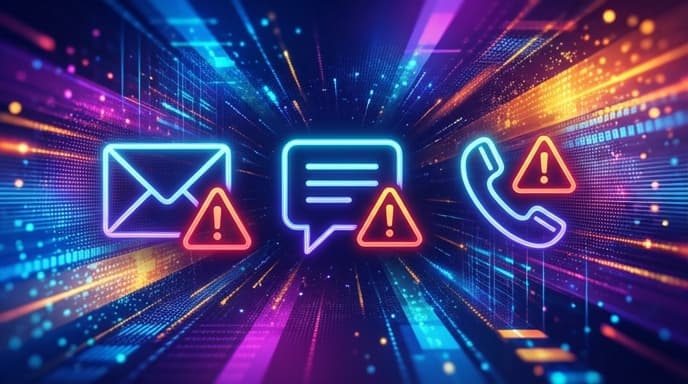
Understanding the difference between the three most common methods—phishing, smishing, and vishing—is the first step to protecting your digital life.
Phishing: The Classic Email Scam
Phishing is the oldest and most well-known of the three. It uses fraudulent emails that appear to be from legitimate sources, like your bank, a social media site, a delivery service, or even your own company's IT department.
The goal is to trick you into clicking a malicious link or opening a dangerous attachment. This might lead you to a fake login page that steals your credentials or install malware on your device.
How to Spot Phishing:
- Generic Greetings: Vague openings like 'Dear Valued Customer' instead of your actual name.
- Sense of Urgency: Language that creates panic, such as 'Your Account Will Be Suspended' or 'Suspicious Login Attempt.'
- Poor Grammar and Spelling: Reputable companies usually have professional communications.
- Mismatched Links: Hover your mouse over a link (don't click!) to see the actual web address. If it looks strange or doesn't match the company's real URL, it's a scam.
- Unexpected Attachments: Never open attachments you weren't expecting, especially invoices or zip files.
Smishing: Phishing via SMS Text Message
Smishing is simply phishing conducted over SMS (text messages). As people have become more wary of email scams, criminals have moved to the platform we tend to trust more: our phones.
A smishing text often contains an urgent message and a link. For example: 'FedEx: Your package delivery has been delayed. Click here to update your preferences: [malicious link]' or 'Your bank account has been locked. Visit [fake website] to verify your identity.'
How to Spot Smishing:
- Unfamiliar Numbers: The text may come from a number you don't recognize.
- Urgent Requests: Like phishing, it often creates a sense of urgency about a problem with a delivery, an account, or a prize you've 'won'.
- Shortened Links: Scammers often use link shorteners (like bit.ly) to hide the true destination of the link.
Vishing: Phishing via Voice Call
Vishing is the use of voice calls to conduct these scams. A visher might use a computer-generated voice or have a live person on the line. They often use a technique called 'caller ID spoofing' to make the call appear to be from a legitimate number, like your bank or a government agency.
Common vishing scams include the 'Microsoft tech support' scam, where they claim your computer is infected, or a scammer pretending to be from the IRS demanding payment for back taxes.
How to Spot Vishing:
- Unsolicited Calls: Legitimate companies will rarely call you out of the blue to ask for personal information.
- Pressure to Act Immediately: They will insist you need to pay, provide information, or give them remote access to your computer right now.
- Requests for Sensitive Data: Never give out your password, social security number, or bank details over the phone to someone who called you.
How to Protect Yourself from All Three
- Think Before You Click: Whether it's an email, text, or voicemail, always pause and think before clicking any link or calling any number back.
- Verify Independently: If you get a message from your 'bank,' don't click the link. Close the message, open your web browser, and type in the bank's official website address yourself to log in. Or call the number on the back of your debit card.
- Use Two-Factor Authentication (2FA): 2FA adds a crucial layer of security, making it much harder for scammers to get into your accounts even if they do steal your password.
- Trust Your Gut: If something feels off, it probably is. It's better to be overly cautious and delete a message than to risk your security.
Summary: Key Takeaways
- Phishing = Email Scams
- Smishing = SMS/Text Message Scams
- Vishing = Voice/Phone Call Scams
- All three use 'social engineering' to create urgency and trick you into giving up information.
- The best defense is to be skeptical, verify information independently, and never click on suspicious links.